
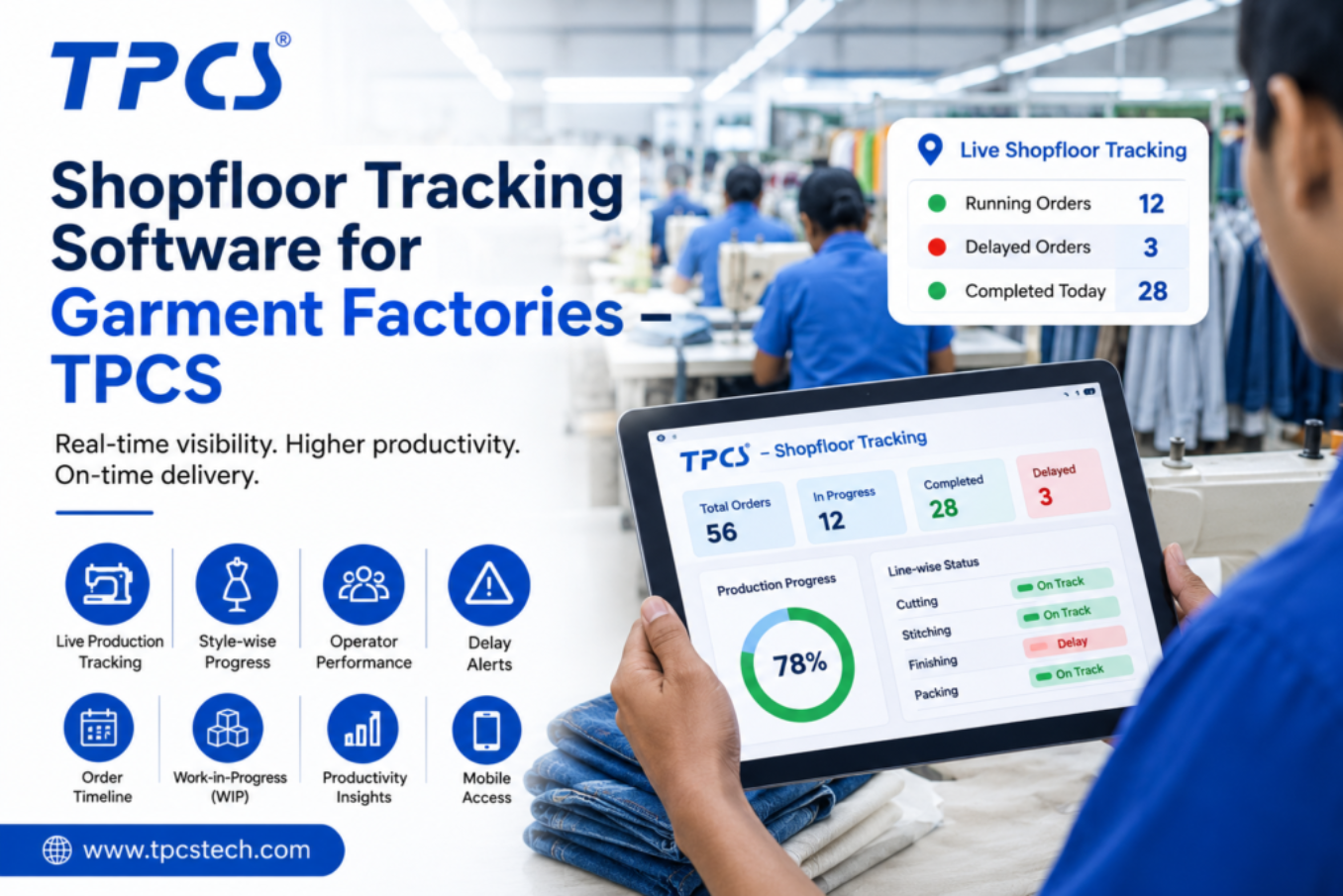
See Every Bundle, Every Operator, Every Line — Live
Replace manual hourly production counts with QR-code based shopfloor tracking built specifically for garment factories.
Used daily on production floors by garment manufacturers and export units across India.
What Is Shopfloor Tracking Software for a Garment Factory?
Shopfloor tracking software for a garment factory captures real-time production data — bundle movement, operator output, and line status — using QR codes or barcodes scanned from a tablet or mobile device. TPCS replaces manual hourly production counts with continuous, automatic data capture.
When Production Counts Are Always a Few Hours Behind
On most garment floors, a supervisor still walks the line with a clipboard to count output every hour. That count is already outdated by the time it reaches a manager’s desk, and a bottleneck can cost an entire shift before anyone notices.
Manual Hourly Production Counts
Supervisors record output by hand at fixed intervals, missing what happens between counts.
No Visibility Into Bundle Location
A bundle stuck between processes is invisible until someone physically goes looking for it.
Operator Efficiency Guesswork
Without scan-level data, efficiency numbers are estimated rather than measured.
Delayed Bottleneck Identification
Line imbalances surface only in the end-of-day report, long after output has already been lost.
Paper-Based Quality & Rejection Tracking
AQL and rejection data recorded on paper is slow to compile and easy to lose.
Disconnected Floor Data From Planning
Planning teams work from yesterday’s numbers because today’s floor data hasn’t reached them yet.
Continuous, Automatic Data Capture From Cutting to Packing
TPCS shopfloor tracking replaces the clipboard with a QR-code or barcode scan at every process point, so bundle status, operator output, and quality data update the moment work happens.
| Stat | What It Means | Why It Happens |
|---|---|---|
| 50% | Less Manual Data Entry on the Floor | Scan-based capture removes hourly clipboard counts and paper tally sheets. |
| 30% | Faster Bottleneck Identification | Live line status flags imbalances as bundles move, not at end-of-shift review. |
| 25% | Improved On-Time Delivery Tracking | Real-time WIP visibility lets supervisors act before a delay affects the ex-factory date. |
| 20% | Less Rejection-Related Rework | Digital AQL and rejection logging catches quality issues closer to the source. |
| Near Real-Time | Visibility Into WIP Status | Bundle location and process stage update within seconds of each scan. |
Supervisors and line managers across garment factories in India rely on TPCS for daily floor visibility.
Every Shopfloor Visibility Function, In One Suite
QR/Barcode Bundle Tracking
Track every bundle from cutting through finishing using simple mobile scans.
- Assign a QR code to every bundle at the cutting stage.
- Scan bundle movement at each process point using a tablet or mobile device.
- See exactly where a bundle is at any moment, without physically searching for it.
- Flag bundles that have sat idle beyond a set time threshold.
Live Line Displays
Show target versus actual output on the line, updated continuously.
- Display live output data on the line for supervisors and operators alike.
- Compare target versus actual output in real time, not at shift end.
- Highlight lines falling behind target early enough to redeploy support.
- Reduce reliance on end-of-day paper summaries.
Operator-Wise Efficiency Capture
Measure individual operator output automatically through scan data.
- Capture operator-level output without manual tally sheets.
- Generate efficiency reports by operator, line, and shift automatically.
- Identify skill gaps and training needs based on measured performance.
- Remove the guesswork from incentive and performance calculations.
Quality & AQL Inspection Tracking
Log inspection and rejection data digitally at the point of occurrence.
- Record AQL-based inspections directly against the relevant bundle and line.
- Track rejection reasons and rework status in real time.
- Generate rejection trend reports by operator, line, and defect type.
- Support buyer compliance requirements with a full digital inspection record.
Machine Downtime Monitoring
Capture machine stoppages and reasons alongside production data.
- Log downtime start, end, and reason against the specific machine and line.
- Correlate downtime with efficiency drops for faster root-cause analysis.
- Track recurring downtime patterns to prioritize maintenance action.
- Reduce unplanned stoppages through early visibility into machine issues.
Supervisor Mobile Dashboards
Give supervisors a live view of every line from a tablet or mobile device.
- Access live WIP, efficiency, and quality data from the floor, not the office.
- Receive automatic alerts for stuck bundles or lines falling behind target.
- Drill down from factory-level view to individual line and operator detail.
- Reduce the time supervisors spend walking the floor to gather status manually.
ROI / CTA Banner
Factories that start shopfloor tracking on one high-volume line typically extend it factory-wide within a quarter, once supervisors see the visibility gain.
Frequently Asked Questions — TPCS Shopfloor Tracking Software
- What is shopfloor tracking software for a garment factory?
Shopfloor tracking software captures bundle movement, operator output, and quality data in real time using QR-code or barcode scans, replacing manual hourly production counts recorded on paper.
- How is shopfloor tracking different from a full MES?
Shopfloor tracking focuses specifically on floor-level visibility — bundle location, operator efficiency, and quality data. A full MES adds jobwork management, machine maintenance scheduling, and dispatch reconciliation on top of that tracking layer.
- Does this work on tablets or mobile phones?
Yes. TPCS shopfloor tracking runs on standard Android tablets or mobile phones with a camera, so supervisors and operators can scan bundles without specialized hardware.
- Do we need new hardware to get started?
Most factories start with existing Android tablets or phones and printed QR-code labels. No specialized industrial scanning hardware is required for initial rollout.
- How long does implementation take?
A single line can be set up for QR-code tracking within 1–2 weeks. Full-factory rollout across all lines typically takes 4–6 weeks, including operator training.
- Is the data real-time or updated in batches?
Data updates in near real time as each scan occurs, so bundle location, operator output, and quality status reflect what is happening on the floor within seconds, not hours.
Brand Conclusion
The gap between what’s happening on a garment production line and what a manager knows about it is usually measured in hours, not minutes — and that gap is where output gets lost. TPCS shopfloor tracking closes it with a scan at every process point instead of a clipboard count once an hour. Factories that treat shopfloor tracking as a standalone reporting tool get partial value; factories that connect it to planning and dispatch get the full picture. Start on your highest-volume line, prove the visibility gain, then extend factory-wide.