
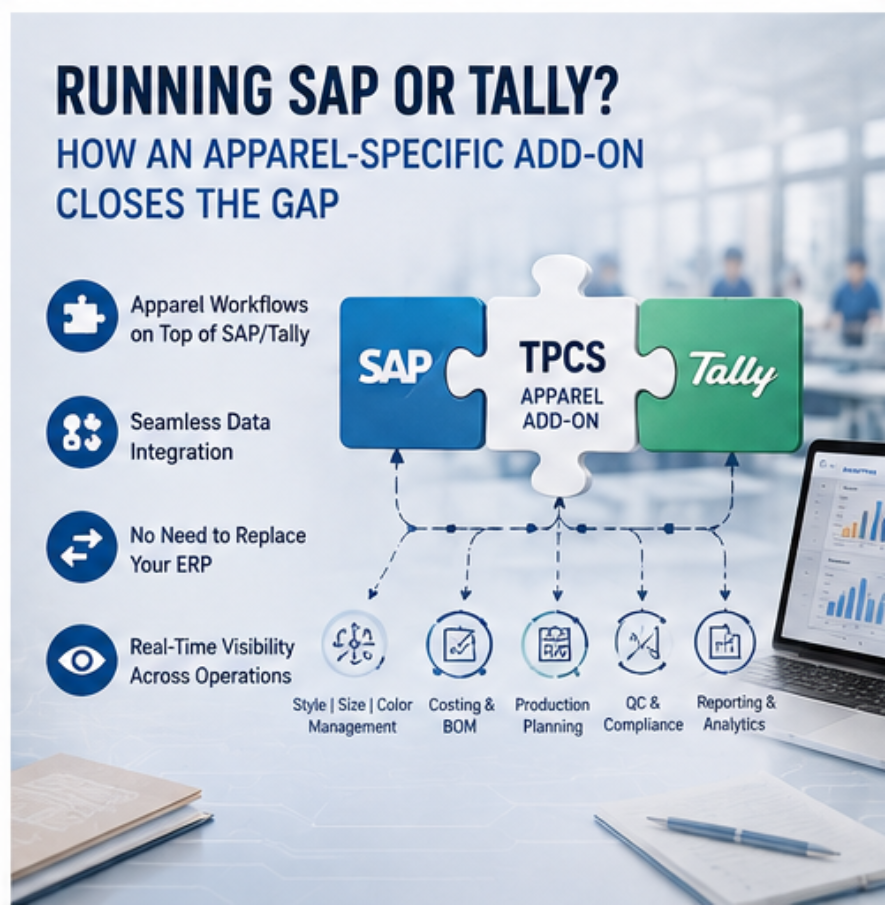
SAP add-on for apparel manufacturing helps apparel businesses extend their existing ERP environment with industry-specific capabilities for style, size, color, BOM, costing, production, and inventory management. Instead of replacing an established ERP system, an apparel-specific add-on can help address manufacturing requirements that may not be handled efficiently by generic ERP workflows.
Businesses already using SAP or other enterprise systems may not want to replace their core platform. An SAP add-on for apparel manufacturing can provide specialized apparel workflows while allowing the organization to continue using its existing ERP for core business functions.
ERP style size color management
Generic ERP platforms can provide strong financial, purchasing, inventory, and business management capabilities. However, apparel manufacturing introduces additional complexity through styles, sizes, colors, variants, seasons, collections, materials, BOMs, and production processes.
When these dimensions are not represented naturally, teams may depend on spreadsheets or additional tools to manage apparel-specific information. This can create duplicate data entry and make it harder to connect product information with manufacturing operations.
An apparel-specific add-on can provide industry workflows while allowing the organization to retain the core ERP where appropriate.
Integrating Apparel-Specific Modules Without Ripping Out SAP/Tally
Replacing an existing ERP is not always necessary or practical. Businesses may already depend on SAP, Tally, Dynamics 365, NetSuite, or other systems for finance and core business operations.
An add-on approach can allow apparel-specific functions to sit alongside the existing system, subject to technical feasibility. The implementation should define which system owns master data, transactions, approvals, and reporting, and how information moves between platforms.
A successful integration should minimize duplicate entry and maintain consistent data across connected systems.
What Data Flows Where (Architecture Overview)
A typical architecture may separate core financial information from industry-specific operational workflows. Depending on the business, product masters, customers, suppliers, inventory, purchase transactions, production information, costing, and financial entries may need to move between systems.
Before implementation, teams should map data ownership, integration frequency, APIs or other interfaces, error handling, security, and reporting requirements. A clear architecture reduces ambiguity and helps prevent duplicate records.
Real Integration Scenarios
A garment manufacturer may use Tally for accounting while using an apparel-specific system for product development, costing, BOMs, production, quality, and inventory workflows. Another organization may use SAP as its core ERP and add specialized apparel manufacturing functionality around it.
Similarly, businesses using Dynamics 365 or NetSuite may evaluate integrations based on their existing architecture. E-commerce systems such as Shopify may also need product, inventory, order, and customer data synchronization where applicable.
Each integration should be designed around the organization’s actual workflow rather than assuming every system needs every data field.
FAQs
What is an apparel ERP add-on?
It is a specialized software component or connected solution intended to add apparel-specific capabilities to an existing ERP environment.
Can an apparel add-on work with SAP or Tally?
Potentially, depending on the products, APIs, integrations, and implementation architecture. Technical compatibility should be validated before purchase.
Why use an add-on instead of replacing an ERP?
An add-on can allow a business to retain existing core systems while addressing industry-specific workflow gaps, potentially reducing disruption.
What should be checked before integration?
Review data ownership, APIs or interfaces, master data, transaction flows, security, reporting, error handling, implementation effort, and support.